 qihaiyan
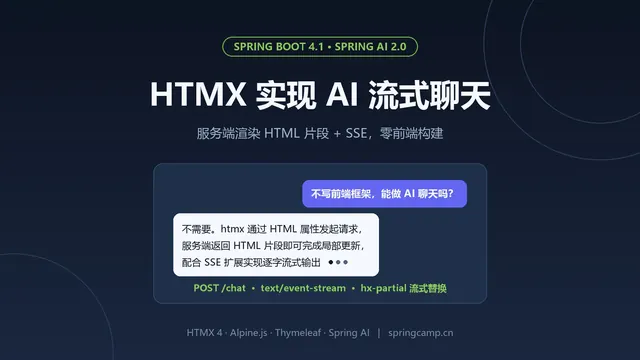
 A previous post covered building a streaming chat UI with htmx + Thymeleaf, with no frontend framework and no npm build at all. If you prefer a mainstream frontend stack like React, take a look at TanStack AI — an AI application frontend framework from the TanStack team (the team behind React Query and TanStack Table). It provides hooks such as useChat for chat state, and talks to the backend over the AG-UI protocol. This post shows how to implement an AG-UI protocol backend with Spring AI and pair it with @tanstack/ai-react to achieve the same streaming chat experience as the htmx version.
The complete code is available in the example project https://github.com/qihaiyan/springcamp/tree/main/spring-ai-tanstack-chat.
1. Overview
TanStack AI is an AI application development framework from the TanStack team, and @tanstack/ai-react is its React binding. Its standard wire protocol for talking to the backend is AG-UI (Agent-User Interaction Protocol), an event-driven streaming protocol in which one conversational turn (a run) is described by a sequence of typed JSON events, transported over SSE by default.
data:{"type":"RUN_STARTED","threadId":"...","runId":"..."}
data:{"type":"TEXT_MESSAGE_START","messageId":"...","role":"assistant"}
data:{"type":"TEXT_MESSAGE_CONTENT","messageId":"...","delta":"你"}
data:{"type":"TEXT_MESSAGE_CONTENT","messageId":"...","delta":"好"}
data:{"type":"TEXT_MESSAGE_END","messageId":"..."}
data:{"type":"RUN_FINISHED","threadId":"...","runId":"..."}
Every token is one TEXT_MESSAGE_CONTENT event; the frontend’s useChat appends the delta incrementally to the message content, and React state drives the typewriter rendering. The backend only needs to implement a single endpoint: parse the request, call the model’s streaming API, and wrap each token as an AG-UI event.
Compared with the htmx version, both approaches deliver the same interaction, but the architectures make an interesting contrast:
- Data channel: the htmx version sends HTML fragments over SSE that the frontend swaps into the DOM; the AG-UI version sends structured JSON events that the frontend renders itself, fully decoupling frontend and backend.
- Conversation memory: the htmx version keeps conversations in Spring AI’s ChatMemory on the server — stateful; AG-UI requires the client to POST the full conversation history every turn, so the server is stateless and scales horizontally at will.
- Update strategy: the htmx version pushes the accumulated full text on every token and swaps the whole block, naturally immune to out-of-order messages; the AG-UI version appends deltas incrementally, with smaller messages.
The implemented features:
- AI answers stream token by token into the bubble, with a typing animation
- Multi-turn conversations with context — history is carried by the client, the server is stateless
- Generation can be stopped at any time during streaming
- One-click new conversation
- A built-in demo-mode fake model, so the full flow works without an API key
Tech stack versions: Spring Boot 4.1.1, Spring AI 2.0.1, @tanstack/ai-react 1.0, React 19, Vite 8.
2. Dependencies and Configuration
The backend has only two dependencies, the DeepSeek starter and the web starter:
dependencies {
    implementation 'org.springframework.ai:spring-ai-starter-model-deepseek'
    implementation 'org.springframework.boot:spring-boot-starter-web'
}

dependencyManagement {
    imports {
        mavenBom "org.springframework.ai:spring-ai-bom:${springAiVersion}"
    }
}
The model configuration is identical to the earlier spring-ai-deepseek example, and the api-key can be injected via an environment variable:
spring.ai.deepseek.api-key=${DEEPSEEK_API_KEY:<your-api-key>}
spring.ai.deepseek.chat.model=deepseek-v4-flash
spring.ai.deepseek.chat.temperature=0.7
The frontend is a standard Vite + React project depending on @tanstack/ai-react:
"dependencies": {
    "@tanstack/ai": "^1.0.0",
    "@tanstack/ai-react": "^1.0.0",
    "react": "^19.3.1",
    "react-dom": "^19.3.1"
}
During development, Vite’s proxy forwards /api to the Spring backend, so the frontend calls are same-origin and CORS never comes into play:
export default defineConfig({
  plugins: [react()],
  server: {
    proxy: {
      '/api': 'http://localhost:8080',
    },
  },
})
3. Configuring ChatClient: a Stateless Server
The htmx version relies on server-side ChatMemory for multi-turn conversations, with an advisor assembling history into each request. Under AG-UI that is unnecessary — the protocol requires the client to send the full conversation history every turn, so the server just forwards that history to the model. The ChatClient therefore carries no memory configuration at all:
@Bean
public ChatClient chatClient(ChatClient.Builder builder, Environment env) {
    // AG-UI 协议下每轮请求都会带上完整对话历史(messages 字段),服务端无需再维护 ChatMemory
    ChatClient.Builder target = env.acceptsProfiles(Profiles.of("demo"))
            ? ChatClient.builder(demoChatModel())   // demo 模式:无需 API Key 的本地假模型
            : builder;
    return target
            .defaultSystem("你是 springcamp 示例项目的 AI 助手,请用简洁准确的中文回答问题。")
            .build();
}
The stateless server has a practical benefit: when running multiple instances, no sticky sessions are needed — any instance can serve any turn.
The demo-mode fake model is exactly the same as the htmx version: it emits a fixed reply character by character (by code point) with a 40 ms delay, simulating real streaming output, and replaces the real DeepSeek model under the demo profile. The complete interaction works without an API key, so this post won’t repeat that code.
4. The AG-UI Event Stream in a Single Endpoint
The whole chat is one endpoint, POST /api/chat, returning an SSE stream. The request body follows AG-UI’s RunAgentInput structure, defined with two records:
record RunAgentInput(String threadId, String runId, List<WireMessage> messages) {
    record WireMessage(String id, String role, String content) {
    }
}
Processing happens in three parts: first emit the two header events RUN_STARTED and TEXT_MESSAGE_START, then wrap each token from the model’s stream as a TEXT_MESSAGE_CONTENT event, and finally append the two tail events TEXT_MESSAGE_END and RUN_FINISHED:
@PostMapping(value = "/api/chat", produces = MediaType.TEXT_EVENT_STREAM_VALUE)
public Flux<ServerSentEvent<String>> chat(@RequestBody RunAgentInput input) {
    String messageId = "msg-" + UUID.randomUUID().toString().replace("-", "").substring(0, 12);

    Flux<ServerSentEvent<String>> header = Flux.just(
            event(AgUiEvent.runStarted(input.threadId(), input.runId())),
            event(AgUiEvent.textMessageStart(messageId)));

    Flux<ServerSentEvent<String>> tokens = chatClient.prompt()
            .messages(toSpringMessages(input.messages()))
            .stream()
            .content()
            .map(delta -> event(AgUiEvent.textMessageContent(messageId, delta)));

    Flux<ServerSentEvent<String>> tail = Flux.just(
            event(AgUiEvent.textMessageEnd(messageId)),
            event(AgUiEvent.runFinished(input.threadId(), input.runId())));

    // 中途出错时补一个 RUN_ERROR 终止事件,客户端据此结束本轮并展示错误
    return Flux.concat(header, tokens, tail)
            .onErrorResume(ex -> Flux.just(event(AgUiEvent.runError(rootMessage(ex)))));
}
The incoming messages are AG-UI wire format (id/role/content). When converting to Spring AI’s Message, only the user and assistant roles are kept, and only the most recent 20 messages are replayed, so very long conversations can’t blow up the prompt:
static List<Message> toSpringMessages(List<RunAgentInput.WireMessage> messages) {
    if (messages == null) {
        return List.of();
    }
    return messages.stream()
            .skip(Math.max(0, messages.size() - 20))
            .map(m -> "assistant".equals(m.role())
                    ? (Message) new AssistantMessage(m.content())
                    : (Message) new UserMessage(m.content()))
            .toList();
}
The JSON fields of an AG-UI event are all short strings, so hand-built concatenation actually keeps the wire format obvious at a glance. The one thing to watch is that tokens must be JSON-escaped — unescaped quotes or newlines would corrupt the SSE message structure:
static String textMessageContent(String messageId, String delta) {
    return "{\"type\":\"TEXT_MESSAGE_CONTENT\",\"messageId\":\"" + esc(messageId)
            + "\",\"delta\":\"" + esc(delta) + "\"}";
}

private static String esc(String s) {
    return s == null ? "" : s.replace("\\", "\\\\").replace("\"", "\\\"")
            .replace("\n", "\\n").replace("\r", "\\r").replace("\t", "\\t");
}
For error handling, when the model call fails, onErrorResume emits a RUN_ERROR event, with rootMessage walking the exception chain for the root cause. The client ends the turn and shows the error, and the SSE stream closes cleanly instead of leaving the connection hanging.
5. The Frontend: useChat and React Rendering
The heart of the frontend is the useChat hook, connected to the backend via fetchServerSentEvents:
const { messages, sendMessage, isLoading, stop, error } = useChat({
  connection: fetchServerSentEvents('/api/chat'),
  threadId,
})
messages is the array of UI messages; calling sendMessage(text) POSTs the user message together with the full conversation history to the backend per AG-UI. TEXT_MESSAGE_CONTENT events from the response stream are automatically appended to the parts of the last assistant message, React state updates, and the bubble grows word by word — with zero manual DOM manipulation. isLoading is true while streaming: the input is locked and the “send” button switches to “stop”, which calls stop() to abort the request.
Rendering a message bubble is just concatenating the text parts:
function MessageBubble({ message }: { message: UIMessage }) {
  const text = message.parts.map((part) => (part.type === 'text' ? part.content : '')).join('')
  const isUser = message.role === 'user'
  // assistant 消息已开始但第一个 token 未到时,气泡内先显示打字动画
  const showTyping = !isUser && !text

  return (
    <div className={`message ${isUser ? 'user' : 'assistant'}`}>
      <div className="avatar">{isUser ? '我' : 'AI'}</div>
      <div className="bubble">
        {text}
        {showTyping && (
          <span className="typing-dots"><i /><i /><i /></span>
        )}
      </div>
    </div>
  )
}
“New conversation” leans on threadId: useChat keeps independent conversation state per threadId, so switching to a new threadId starts a fresh conversation. The implementation keeps threadId in state and uses it as the component key to force a remount:
const [threadId, setThreadId] = useState(() => crypto.randomUUID())

return (
  <Chat key={threadId} threadId={threadId}
        onNewThread={() => setThreadId(crypto.randomUUID())} />
)
Comparing with the htmx version is instructive: there, starting a new conversation required a DELETE call to clear server-side memory; here nothing of the sort is needed — the server has no state to begin with, and replacing the threadId clears the client-side message list.
6. Running and Testing
The complete interaction works without an API key. Start the backend in demo mode:
./gradlew :spring-ai-tanstack-chat:bootRun --args='--spring.profiles.active=demo'
To use a real model, configure the api-key, start normally, and bring up the frontend in another terminal:
cd spring-ai-tanstack-chat/frontend
npm install
npm run dev
Open http://localhost:5173 in a browser and ask anything — the answer streams into the bubble word by word. Follow up with “what did I just ask” and the model answers correctly, because the context comes from the history the client carries on every turn — AG-UI’s multi-turn mechanism at work. Click “stop” mid-stream and the answer cuts off immediately; “new conversation” starts a fresh thread.
The backend tests also need no real API key. With @MockitoBean replacing the DeepSeekChatModel, three things are verified: the event order follows the protocol (RUN_STARTED before TEXT_MESSAGE_START, with RUN_FINISHED at the end); multi-turn history is forwarded to the model in full (capturing the Prompt passed to stream and asserting the non-system messages are exactly the 3 from the request); and an upstream failure yields a RUN_ERROR event to the client rather than a hanging connection:
@MockitoBean
DeepSeekChatModel chatModel;

@Test
void chatStreamsAgUiEvents() {
    when(chatModel.stream(any(Prompt.class))).thenReturn(Flux.just(
            chatResponse("你好"), chatResponse(",世界")));

    client.post().uri("/api/chat")
            .contentType(MediaType.APPLICATION_JSON)
            .bodyValue("""
                    {"threadId":"t1","runId":"r1","messages":[
                      {"id":"m1","role":"user","content":"你好"}]}
                    """)
            .exchange()
            .expectStatus().isOk()
            .expectHeader().contentTypeCompatibleWith(MediaType.TEXT_EVENT_STREAM)
            .expectBody(String.class)
            .value(body -> {
                assertThat(body.indexOf("RUN_STARTED")).isLessThan(body.indexOf("TEXT_MESSAGE_START"));
                assertThat(body).contains("\"delta\":\"你好\"");
                assertThat(body).contains("TEXT_MESSAGE_END");
                assertThat(body).contains("RUN_FINISHED");
            });
}
The whole frontend-backend chain (protocol event order, multi-turn context, error paths) is verifiable in CI without any external services.
 Building a Streaming AI Chat UI with HTMX